
Description
The MCP platform for your WordPress, from a single site to an agency fleet
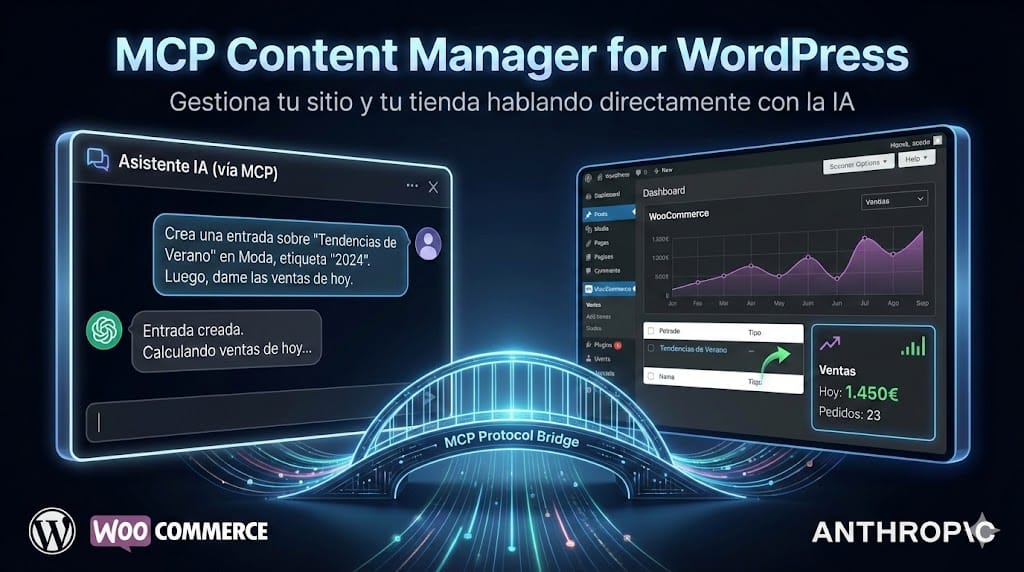
MCP Content Manager Premium is the only MCP plugin built on the official WordPress 6.9 Abilities API. Connect Claude, ChatGPT, and any MCP client to your WordPress and WooCommerce with over 340 tools, multi-site management from a single conversation, and a security layer designed for agencies that is equally valid for a single site. Two-way authentication (OAuth 2.1 with PKCE and Dynamic Client Registration, or application password authentication), 23 hardening measures, automatic recovery from failures, and vulnerability scanning. All about the official core WordPress API.
The problem it solves
It doesn’t matter if you manage a single WordPress site, a WooCommerce store, several personal sites, or a portfolio of 50 clients: your daily operations get consumed by the same repetitive tasks. Checking updates, applying patches, verifying backups, reviewing orders, publishing content, responding to incidents. Each site a login. Each task a window.
MCM Premium is designed for both ends of that spectrum:
- For the owner of a WordPress or WooCommerce store, who wants to keep the site in shape without having to rely on a professional every time an update is due, a post needs to be published, an error needs to be checked, or why an order was left incomplete. Many of these tasks are repetitive and perfectly delegable to an AI, as long as the plugin protects you from the AI making mistakes.
- For agencies and professionals managing multiple sites, who previously spent Tuesday mornings repeating the same operation on 10, 30, or 50 WordPress sites one by one, and can now do it from a single conversation with the AI.
The promise of agentic AI is that these tasks are handled by your assistant. The reality is that most MCP plugins for WordPress are generic transports without fine control, without error protection, and without architecture to trust that the AI won’t break the site.
MCP Content Manager Premium is built the other way around. The agentic operation is not an add-on, it is the product. Security is not a checklist, it is 23 integrated measures. And it is exactly the same plugin whether you use it on your own site or orchestrate a hundred from Hub: the only difference is the number of sites you activate with your license.
The only MCP plugin built on the official WordPress API
WordPress 6.9 introduced the Abilities API: the official way for the core to expose functionality to AI agents. MCP Content Manager is the first plugin built on top of that API, not around it. What this means in practice:
- Aligned with the core. When WordPress extends the Abilities API, MCM inherits the improvements automatically. Plugins that implement their own transport have to rewrite.
- Auditable. Each ability is a core object with metadata, permissions, and JSON schema. There is no dark code: there is an official record.
- Compatible with the entire platform. Everything that extends the Abilities API in the future (other plugins, themes, the core itself) is usable from MCM without additional code.
- The way WordPress recognizes. If WordPress.org or WordPress.com integrate MCP natively, MCM is the reference implementation against which the rest is measured.
Requirement of WordPress 6.9 or higher. It is not a limitation: it is the reason why this plugin does what others cannot do.
Everything your WordPress needs, from a site to a fleet
Multi-site Hub
Manage multiple WordPress sites from a single conversation with Claude. Add sites with OAuth 2.1 and PKCE or with application password authentication, AES-256-GCM encrypted credentials, execute actions in parallel, and consolidated reports. Useful whether you manage two of your own WordPress sites or the fleet of an agency. Each site remains independent; Hub only orchestrates.
Content and WooCommerce
340+ abilities for content, products, orders, customers, coupons, and reports. Compatible with ACF, The Events Calendar, Yoast SEO, Rank Math, AIOSEO, The SEO Framework, SiteSEO, Slim SEO, Squirrly SEO, and SureRank. Page builders (Elementor, Beaver Builder, WPBakery, Bricks, Oxygen, Divi, Gutenberg) work out of the box.
Sentinel Recovery
If an update breaks a site, Sentinel detects the fatal error, reverts the change, and keeps the site running. No manual intervention. No leaving a WordPress down at 3 AM or having to call a professional at odd hours.
Time Machine
Complete ZIP snapshots before each update, installation, or security cleanup. Rollback one step, ten steps, or to the state of a week ago. Combined with Sentinel, no conversation with the AI is destructive.
Vulnerability Scanner
Integration with the Wordfence Intelligence v3 CVE Feed. Your AI alerts you to vulnerable plugins on your site (or across the entire fleet), with severity level and update path. Admin alerts turn into actionable tasks.
Safe Update Engine
Phased updates with the backup → update → verify → auto-rollback cycle. Available for a single item, all pending updates of a site, or the entire network. Emergency email if something fails in network mode.
Banking PSD2 (AIS)
Reconciled reading of bank transactions (PSD2 aggregator) to cross-check income with WooCommerce orders. Your AI tells you if all charges for the month are reconciled. Read-only, never fund movement.
Security Suite: 23 hardening measures
Two-way authentication: OAuth 2.1 with PKCE and Dynamic Client Registration for modern MCP clients, and application password authentication (WordPress Application Passwords) for environments where OAuth is not viable. This is complemented by a Human Confirmation System for sensitive operations, rate limiting, complete audit log, key rotation, and tokens with ability scope. No API key exposed. 23 measures classified into three risk levels: SAFE (applied directly), CAUTION (the AI explains first), and CRITICAL (require prior backup).
Five real use scenarios
Owner of a WordPress or WooCommerce store
You want to keep your site up to date without having to call a professional every time there are updates, an announced vulnerability, or a post to publish. You tell Claude: “check what updates are pending, apply the security ones with prior backup, and give me a summary of the ones I should review manually.” MCM guides the AI with Safe Update Engine, Time Machine, and Sentinel, so that neither an AI error nor a broken update leaves your site out of service.
WordPress maintenance agency
Tuesday mornings used to require two hours reviewing 30 sites one by one. With MCM Premium and Hub, just one conversation is enough: “check updates across the fleet, apply critical security ones with prior backup, and give me a report of the ones needing manual confirmation.” The AI returns the consolidated list and applies the safe ones after your OK.
WooCommerce store
A direct question: “which products have sold the most this week and which have low stock?” MCM exposes WooCommerce abilities via OAuth 2.1 or application password with sensitive data filtering. The AI responds with real data, not made up. Restocking decisions in seconds.
WordPress developer
MCM Premium includes WP-CLI Bridge with granular permissions and 16 dangerous commands blocked by default. A request: “deploy the latest build of plugin X on the 5 stagings, run the tests, and give me the summary.” The AI executes it step by step with a complete audit log.
Compromised site or suspicion of incident
The admin is accessible but something seems off. A conversation with Claude: “check plugins with known vulnerabilities, look for recent changes in core files, and give me a forensic report.” Vulnerability Scanner, integrity verification against the official wordpress.org checksums, and .htaccess analysis: minutes instead of hours, whether it’s your own site or a client’s.
Honest comparison with other MCP plugins
| Feature | MCM Premium | Other MCP plugins |
|---|---|---|
| Built on the official WordPress 6.9 Abilities API | Yes | No (own transport) |
| Multi-site Hub in a single conversation | Yes | One-to-one connection |
| OAuth 2.1 with PKCE + Dynamic Client Registration | Yes | Partial or nonexistent |
| Alternative authentication via application password | Yes | Not always |
| Sentinel: automatic recovery from fatal error | Yes | No |
| Time Machine: snapshots before each operation | Yes | No |
| Vulnerability Scanner (Wordfence CVE) | Yes | No |
| Safe Update Engine with auto-rollback | Yes | No |
| Human Confirmation System anti-prompt-injection | Yes (40+ operations) | No |
| 23 integrated hardening measures | Yes | No |
| Banking PSD2 (AIS, read-only) | Yes | No |
| Number of abilities | 520+ | Variable, lower |
Plans and pricing
MCP Content Manager Premium is licensed by the number of managed WordPress sites:
| Licenses | Annual price | Ideal for |
|---|---|---|
| 1 site | 30 €/year | One own WordPress or WooCommerce |
| 2 sites | 55 €/year | Main site and one staging or secondary |
| 3 sites | 66 €/year | Several own or client projects |
| 5 sites | 100 €/year | Small portfolio of sites |
| Unlimited | 250 €/year | Large portfolio or agency |
All plans include exactly the same plugin with all features: 340+ abilities, multi-site Hub, Time Machine, Sentinel, Safe Update Engine, Vulnerability Scanner, Banking PSD2, and Security Suite with 23 hardening measures. The only difference between plans is the number of sites where you can activate the license.
Do you prefer to try before? You have the free Lite version on WordPress.org with the base of the plugin (without Hub, Banking, Vulnerability Scanner, or Time Machine).
Frequently asked questions
What is MCP Content Manager Premium?
A plugin for WordPress that turns your site into an MCP (Model Context Protocol) server. You can connect Claude, ChatGPT, or other compatible clients and ask them to perform real tasks: publish, update, manage orders, check vulnerabilities, or apply patches. It works the same whether you have a single site or manage several at once.
Who is the plugin intended for?
For anyone who wants to delegate WordPress operations to an AI with security: from an author or owner of a WooCommerce store who wants to keep their site without having to call a professional every time, to maintenance agencies with dozens of client sites. The same plugin covers both cases; only the number of sites in the license changes.
How does it differ from other MCP plugins for WordPress?
MCP Content Manager is the only MCP plugin built on the official WordPress 6.9 Abilities API. Others implement their own transport outside the core, allowing them to function on older versions but at the cost of not being aligned with the official direction of WordPress. Additionally, MCM adds 340+ abilities, multi-site Hub, 23 hardening measures, Sentinel Recovery, Time Machine, and Vulnerability Scanner.
Why does it require WordPress 6.9 or higher?
Because it uses the native Abilities API introduced in WordPress 6.9. The requirement is not an arbitrary technical limitation: it is the architectural decision that allows the plugin to do what others cannot do safely and maintainably in the long term.
How does an MCP client authenticate with my WordPress?
Two ways, you choose which to use on each site: (1) OAuth 2.1 with PKCE and Dynamic Client Registration, the modern standard for MCP clients like Claude, ChatGPT, or Cursor; the client registers itself, you approve access, and tokens have ability scope. (2) Application password authentication (Application Passwords, the one WordPress has used natively since version 5.6) for environments where OAuth is not viable, internal scripts, or clients that do not yet support OAuth. Both ways go through the same permission filters, rate limiting, and audit log.
Is it safe to give an AI access to my WordPress?
MCP Content Manager Premium implements OAuth 2.1 with PKCE, Dynamic Client Registration, application password authentication as an alternative, rate limiting, complete audit log, tokens with ability scope, key rotation, and a Human Confirmation System that requires your explicit approval for sensitive operations. More than 40 high-risk operations (deleting users, installing plugins, mass changes, banking operations) require out-of-band approval before execution.
Do I have to manage multiple WordPress sites for it to be worth it?
No. The 1 site plan (30 €/year) includes exactly the same plugin and the same 340+ abilities as the Unlimited plan. If what you want is for an AI to help you maintain your own WordPress or WooCommerce store securely (updates, backups, vulnerabilities, publishing, orders), a single license covers you.
Can I manage multiple WordPress sites from Claude with this plugin?
Yes. With any license, you can use Hub. The hub abilities only load when the site’s role requires it, with zero overhead on independent sites. The credentials of each remote site are encrypted with AES-256-GCM independently, whether you use OAuth or application password.
What AI models and MCP clients does it support?
Any client compatible with the MCP protocol: Claude Desktop, Claude Web, Claude in Chrome, ChatGPT with MCP enabled, Cursor, Zed, and others. The model is chosen by the client; the plugin is agnostic.
Does it work with WooCommerce?
Yes. Native WooCommerce integration with abilities for products, variations, orders, customers, coupons, sales reports, stock, categories, and subscriptions (compatible with WooCommerce Subscriptions, YITH, and SUMO).
What happens if an AI operation breaks my site?
Sentinel detects fatal errors and automatically reverts. Time Machine keeps an incremental backup before each sensitive operation. Safe Update Engine applies the backup → update → verify → auto-rollback cycle on each update. The probability of leaving asite down to almost zero.
Do I need technical knowledge to install it?
For basic setup, no. It installs like any other WordPress plugin and a step-by-step wizard guides the connection with the first MCP client. Advanced configurations (Banking PSD2, Hub with multiple sites, WP-CLI Bridge) benefit from technical profile or support assistance.
Can I try it before buying?
Yes. The free Lite version on WordPress.org allows you to test the base of the plugin (without Hub, Banking, Vulnerability Scanner, or Time Machine). The Premium version is also covered by the store’s return policy.
Where does it integrate with Smart AI Translate and image generation?
MCM Premium integrates with Smart AI Translate to translate posts, taxonomy terms, and options into multiple languages from the conversation. And with Google Gemini and Imagen to generate images in 10 aspect ratios and three sizes (1K/2K/4K), assign them as featured images, and insert them into the content.
Who is behind the plugin?
José Conti, WordPress developer with over two decades in the ecosystem (working with WordPress since late 2004). Author of the most used Redsys gateway for WooCommerce in Spain, with over 40,500 active stores, and plugins for FacturaScripts and self-employed management.
Compatible with major MCP clients
MCP Content Manager Premium works with any client that supports the MCP (Model Context Protocol): Claude Desktop, Claude Web, Claude in Chrome, ChatGPT with MCP enabled, Cursor, Zed, and other compatible clients. You can connect them via OAuth 2.1 with PKCE and automatic ability discovery, or with application password authentication when the client or environment requires it.
Technical requirements
- WordPress 6.9 or higher (architectural requirement, uses the official core Abilities API)
- PHP 8.3 or higher
- Official MCP Adapter plugin installed (dependency)
- HTTPS required in production for OAuth 2.1 (recommended also with application password)
- Compatible with major caches, WAFs, and nginx proxies
Current version: 4.0.0. GPLv2 or later license. Support in Spanish. Updates included during the license term.



Reviews
There are no reviews yet.